

To search for a journal, use the Journal search field with the prefix ta: followed by the abbreviated journal title, in quotation marks.
Examples:
ta:"lancet"
ta:"Acta Paul. Enferm. (Online)"
ta:"Acta bioeth"
✅ Check the list of journals and their abbreviations in the Portal of Scientific Journals
Use the Publication type field, with the prefix pt: followed by the publication characteristic (format, component, or methodology), according to DeCS/MeSH. Examples:
pt:"Controlled Clinical Trial"
pt:"Erratum"
pt:"Systematic Review"
✅ In the results interface, the Study Types filter allows the retrieval of documents indexed according to their methodology. This feature is based on search strategies that increase retrieval sensitivity, enabling the identification of specific study types, such as controlled clinical trials, cohort studies, and systematic reviews.
You can build a search strategy by combining fields with Boolean operators.
Example:
(mh:"dengue" OR mh:"chikungunya fever" OR mh:"zika virus infection") AND ti:outbreak AND da:202*
This means: searching for documents with the descriptors Dengue or Chikungunya Fever or Zika Virus Infection, with the term outbreak in the title, and published from 2020 onward, up to 2029.
✅ Remember that when using more than one Boolean operator, as in the example above, the search must be organized using parentheses.
Learn more about building search strategies in the tutorials and courses available in the How to search section on the Regional BVS Portal.
It is a service that stores user information and preferences. It is freely available to any user through their Facebook, Google, BIREME Account, or the Mi BVS service itself. Mi BVS is also available as an app on Google and Apple platforms.
There you can:
✅ It is not mandatory to have an account to use the portal, but personalized services are available only for registered users
Use the search field ab: field followed by the term of interest.
Examples:
ab:amazonia
ab:"natural resources"
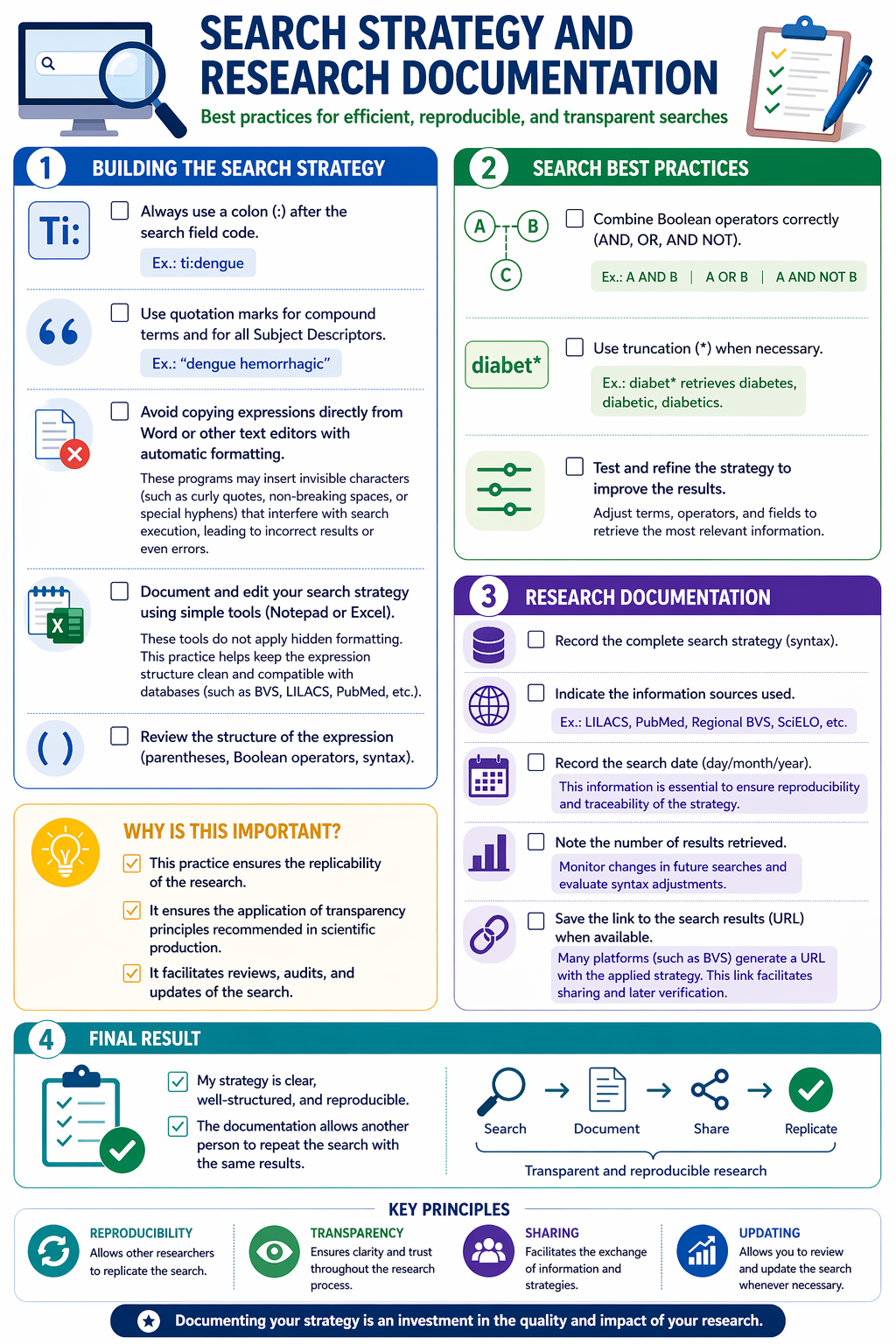
Always record the full details of your search strategy. In addition to saving the search syntax, it is highly recommended to document the following elements:
This practice ensures the reproducibility of the research and guarantees the application of transparency principles recommended in scientific production.
Truncation is performed using the asterisk symbol (*) at the end of a word root to retrieve different word endings:
⚠️ Truncation does not work with terms in quotation marks
Yes!
The guidance service is available through the Contact or Ask a Librarian option.
A BVS Network professional will respond to your inquiry by email.
Use the Text words field, with the prefix tw: to search across the main fields (title, abstract, subject descriptors, and keywords).
Examples:
tw:aids = search for the term aids only
tw:"parkinson disease" = search for the term "parkinson disease"
✅ This field is the system default, and its inclusion in the search expression is optional. It is the ideal field for initial searches or broader and more sensitive retrieval.