
File upload is recommended when the institution producing the document:
-
Does not have adequate server infrastructure for publishing the documents;
-
Has a history of technological infrastructure instability;
-
Changes links periodically.
Click the Choose File button and select the file to be uploaded.

Important: Access the uploaded file to verify that the full text corresponds to the document described in the bibliographic record.
Select the language of the text.
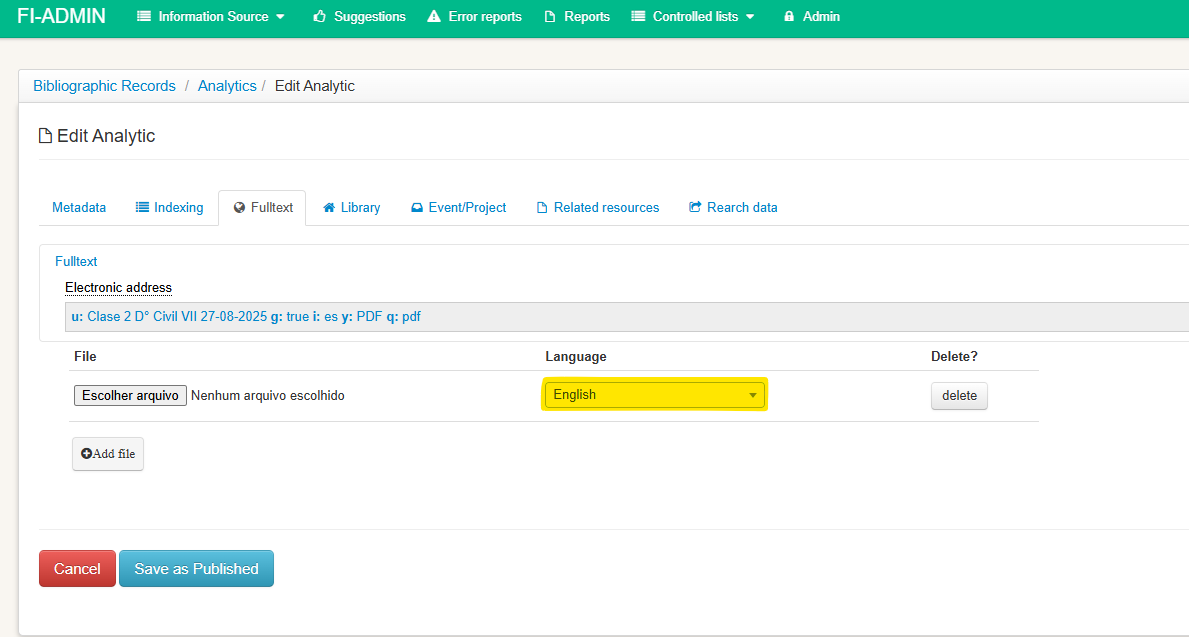
Click the “Save as Published” button if the record is ready to be published in the LILACS and BVS search interface, or “Save as LILACS-Express” if the record does not yet have the indexing data filled in.
If you plan to continue filling in the data in the other tabs, only click on the tab that has data to be completed, until you finish the entire bibliographic description process.