
LILACS-Express is a cooperative initiative that aims to increase the exposure time of articles indexed in the databases managed with the LILACS Methodology by submitting the metadata and full text of articles as soon as they are finalized.
Advantages:
-
Immediately disseminate articles in LILACS;
-
Provide online publication with the upload of full texts for institutions that do not have local infrastructure, whether in terms of staff or technology;
-
Increase the visibility of the journal;
-
Facilitate the work of libraries responsible for indexing the journal.
In this way, articles available in LILACS with the status LILACS-Express can be retrieved through searches by title words, abstracts, keywords, or by author names.
To learn more about what the FI-Admin system is and how it works, access:
Review of description and indexing of journal articles with LILACS-Express status:
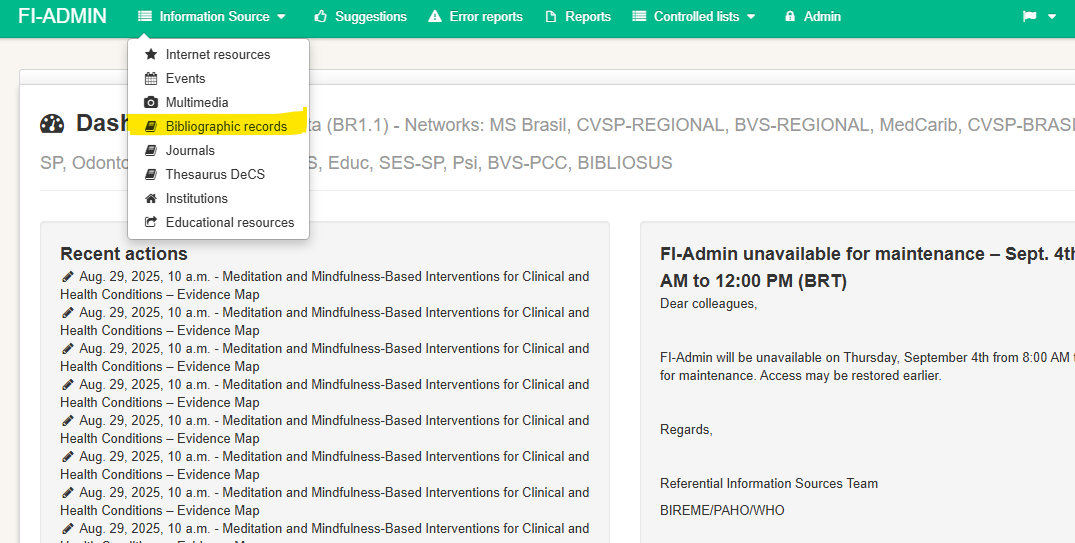
In the menu, click on “Bibliographic records” to start the process.
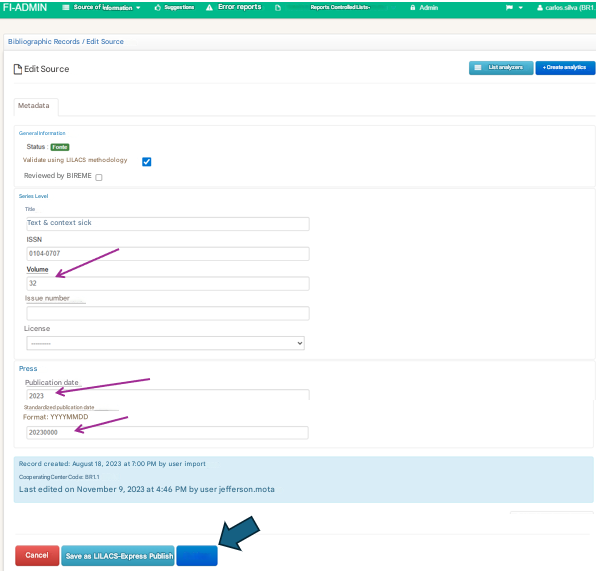
Review of issue/source data
Review the volume, issue, and publication date information of the issue, and then publish.
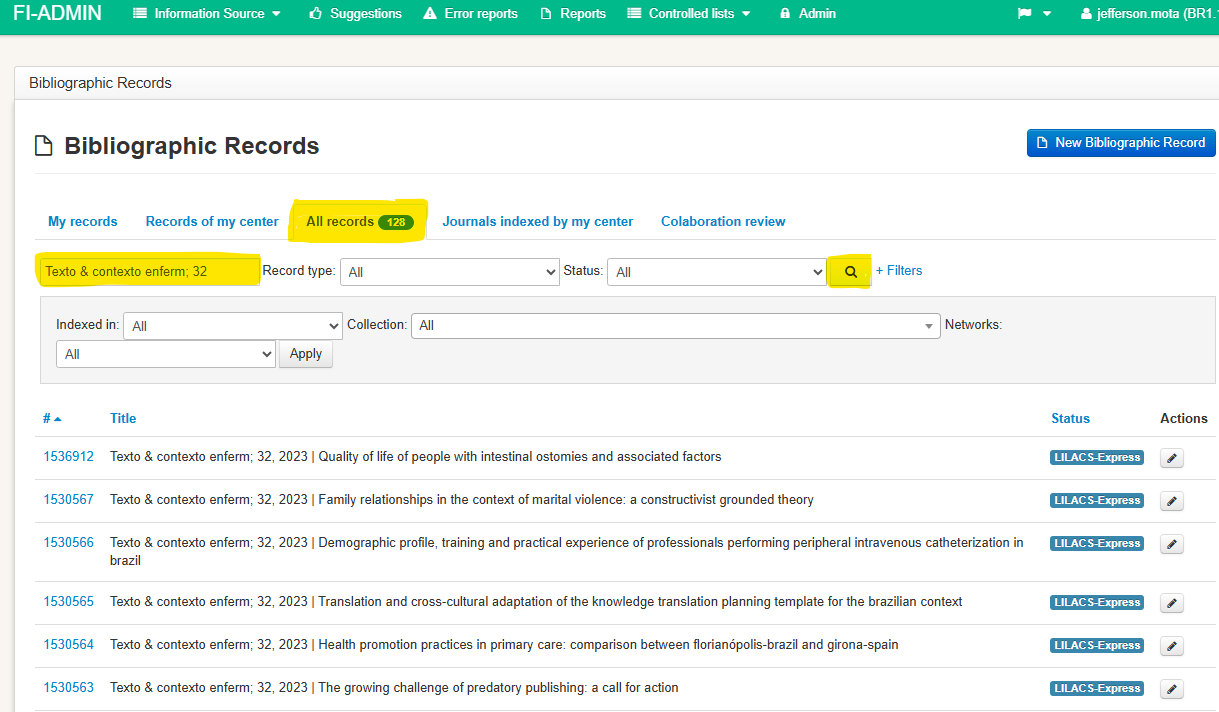
Check whether the issue data described is correct. If not, copy the source data and paste it into the search box under the “All records” tab, then search for the issue.
Review of article/analytic data
To begin reviewing each article in the issue, always repeat the steps from the following section.
In “Bibliographic records”, click on the “Indexed by my center” tab to view the articles included by the editor.

If there are no pending records when accessing the “Indexed by my center” tab, and you know that the journal is part of the LILACS-Express initiative (because it is SciELO or due to prior information from the editor), search using the journal’s abbreviated title in the search box.
This likely occurred because the journal title changed over time, and the records already included in LILACS remained under the old abbreviated title.
Ex.:
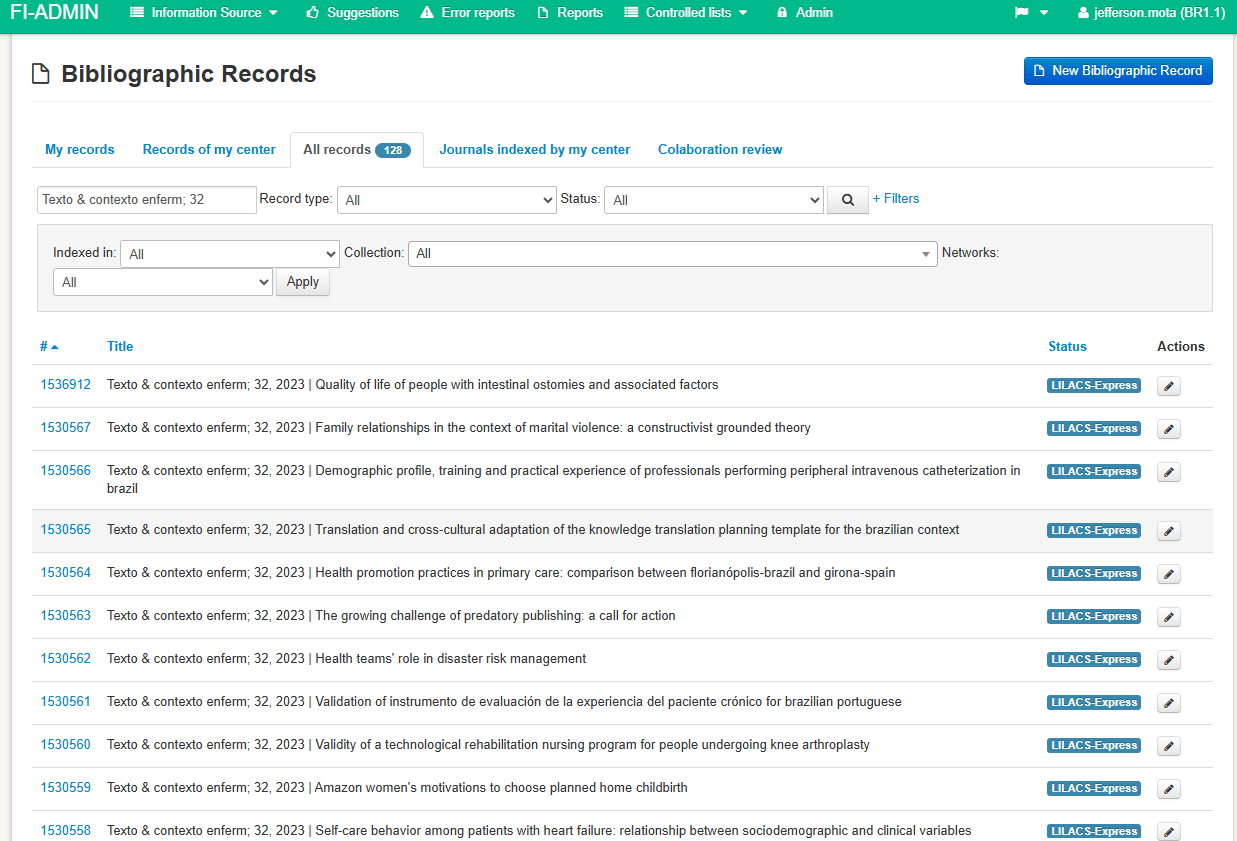
To begin the review process, click on the article number or on the edit icon (pencil).
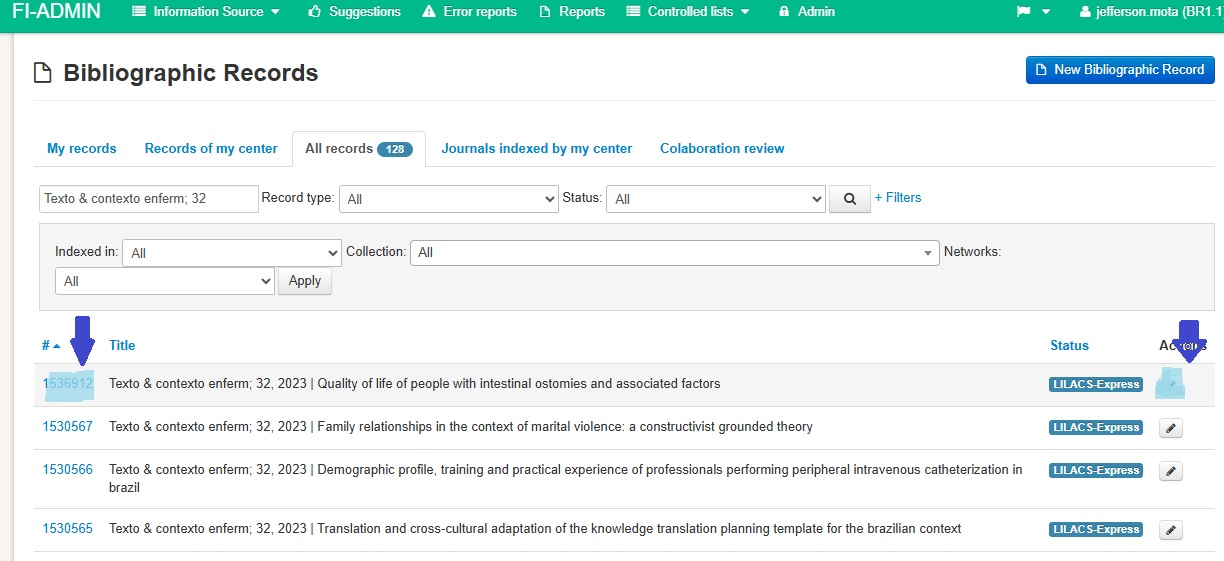
Review all fields filled in by the editor and complete the missing data in each section of the record: Metadata, Indexing, Full text, Library, Event/Project, Related resources, and Research data.
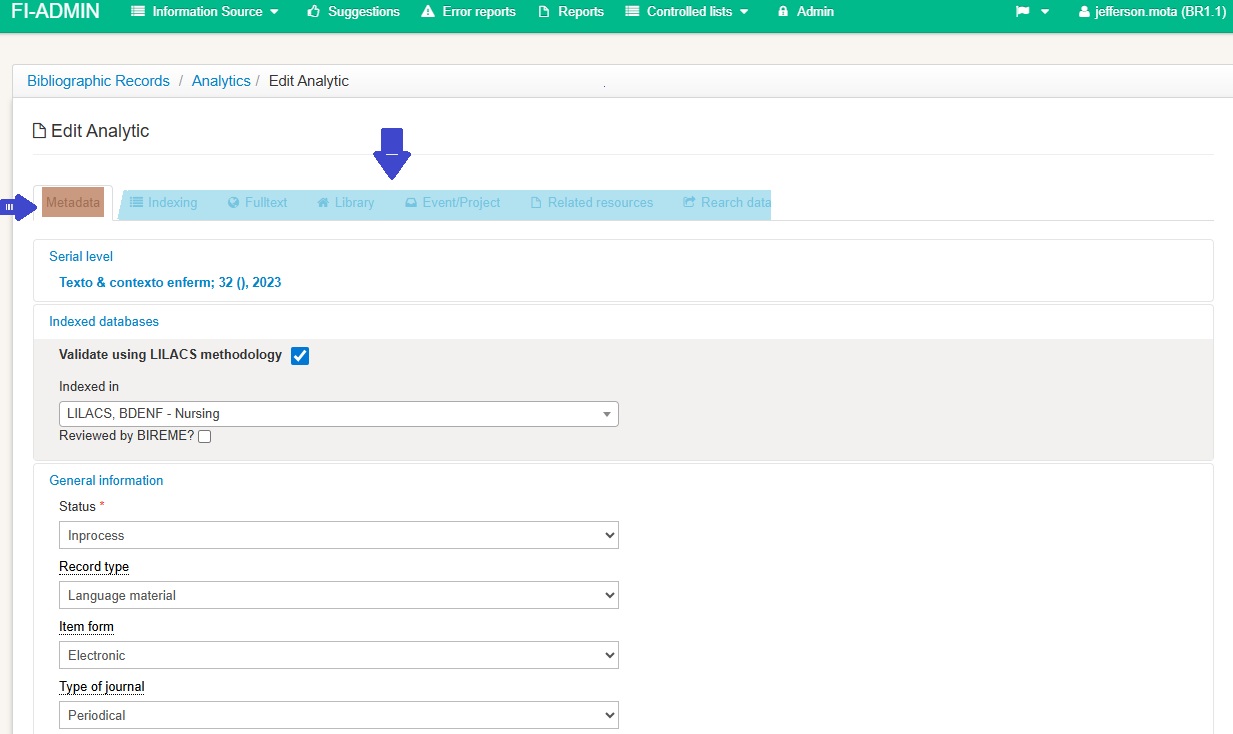
Metadata
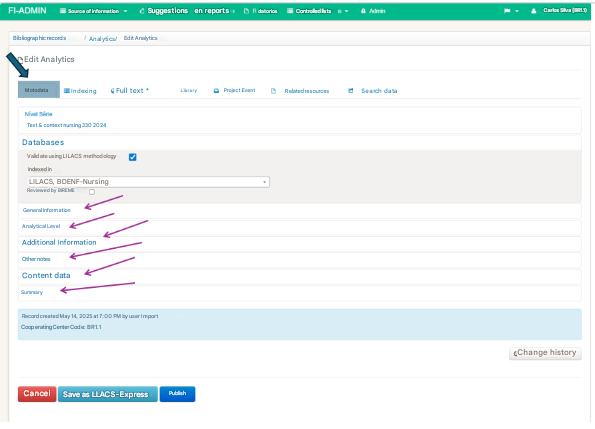
In “Metadata”, review all fields.
Note that the Metadata form is subdivided into sections. Click on the blue links to display or hide the fields of each section.
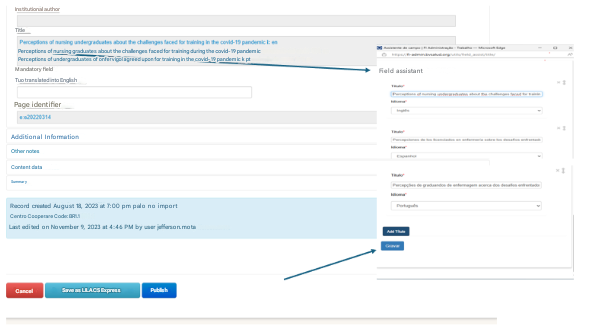
Most fields have a Field Assistant, which is a new window that opens to enter the data.
When corrections are needed, click on the field area to open the assistant. After reviewing the data, click “Save.”
Databases
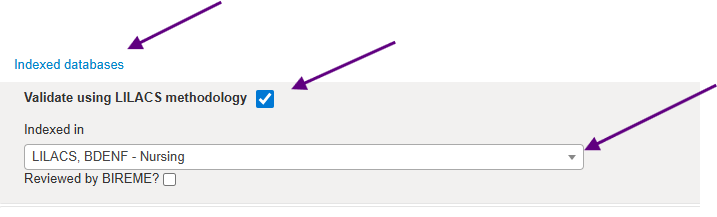
Validate using LILACS Methodology
Keep this option selected to perform checks according to the LILACS Methodology.
Indexed in
LILACS is already pre-filled in LILACS-Express records, but always make sure it is completed.
Include other databases in which this record should be inserted.
General information
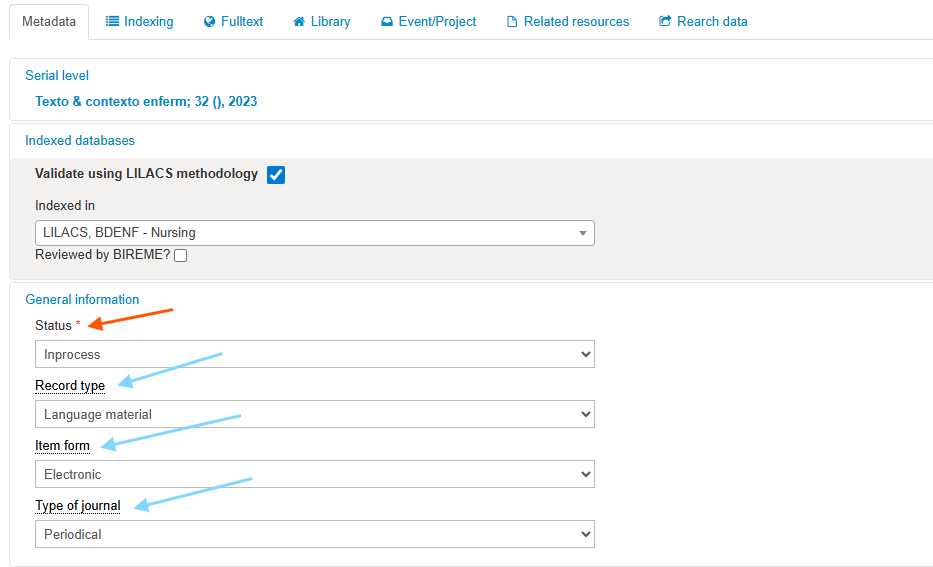
Status
In the Status field, the term LILACS-Express appears because this record has already been published in LILACS with this status (the indexer cannot edit this field).
Record type
Keep Textual material (type accepted for LILACS).
Item form
Keep Electronic.
Journal type
Keep Journals.
Analytic level
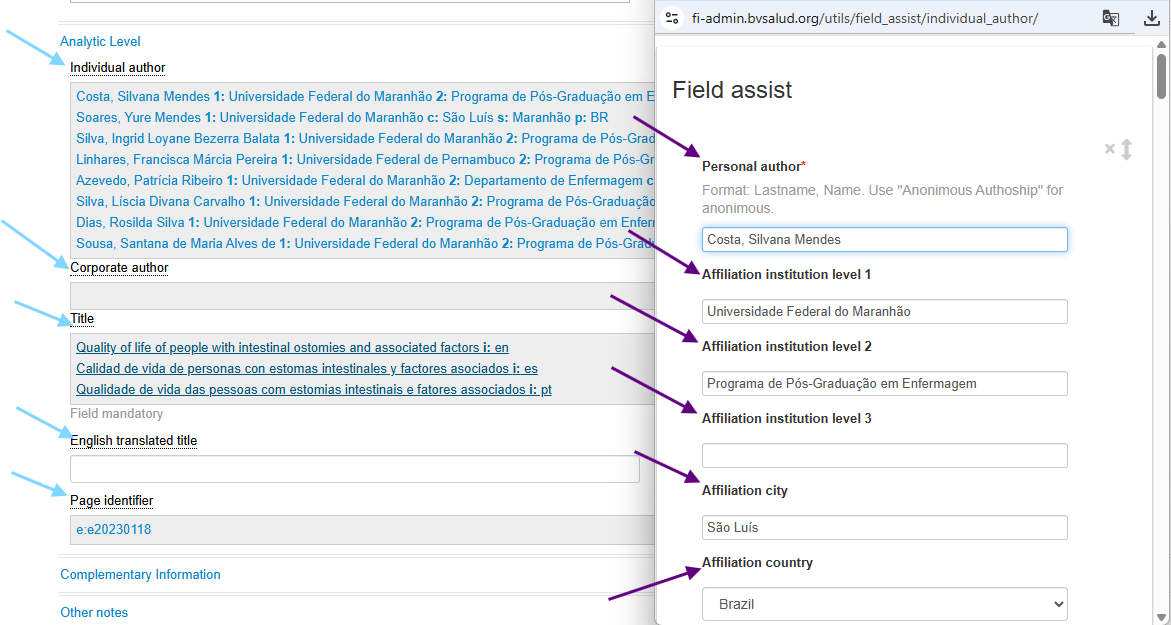
Personal author
-
Include all authors listed in the article along with their institutional affiliation.
-
The levels of affiliation are recorded from the institution name down to the department.
-
Whenever there is both a personal author and an institutional author, include only the personal author.
-
Exception: For the publication type “Guidelines”, both personal and institutional authors may be included.
- Attributes:
-
1: General hierarchical level of affiliation: University of São Paulo
-
2: Second-level institutional affiliation: School of Medicine
-
3: Third-level institutional affiliation: Department of Surgery or another subdivision, when applicable
-
c. City: São Paulo
-
p. Country: Brazil
-
r. Degree of responsibility: always delete when the editor includes “aut” (author). Use only if necessary.
Institutional author
Not common in journal articles. Record the name as it appears in the document. The exception applies to government institutions, which must be standardized by the name of the country, state, or city.
Institutional authorship is commonly adopted for guidelines, protocols, and clinical practice directives.
Title
-
Include all versions of the title present in the article and select the language of each version.
-
Enter the title exactly as presented in the document, but follow current grammatical rules for capitalization: use uppercase letters only at the beginning of a sentence, for proper nouns, and for acronyms.
Translated title
-
When the publication does not provide a title in English, the indexer must translate and enter it in this field.
Pages
-
Use this field only when the article does not have pagination or when pagination is irregular, entering the first and last page in brackets.
-
Initial number: First page of the article
-
Final number: Last page of the article
-
Electronic location identifier: Use this when recording electronic pagination, if the journal uses continuous publishing and provides an e-location code instead of traditional pagination.
Additional information
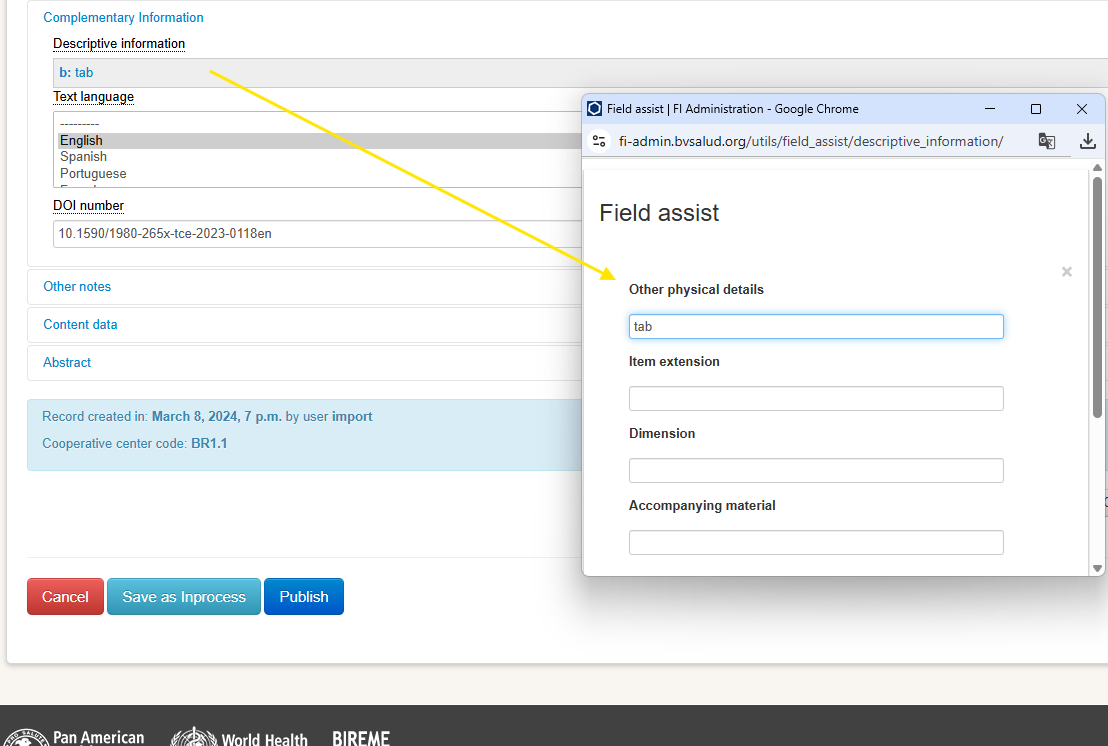
Descriptive information
In Other physical details, fill in the abbreviations according to the table below. If the document has more than one option, click “Add descriptive information” to include a new entry.

Text language
- Check whether all the languages present in the document have been included in the description.
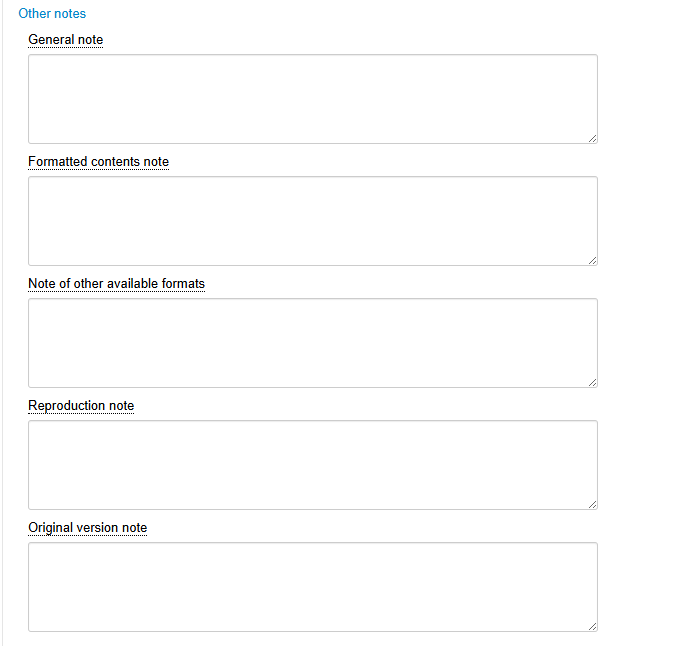
Notes
Include standardized notes according to AACR2 whenever necessary.
Content data
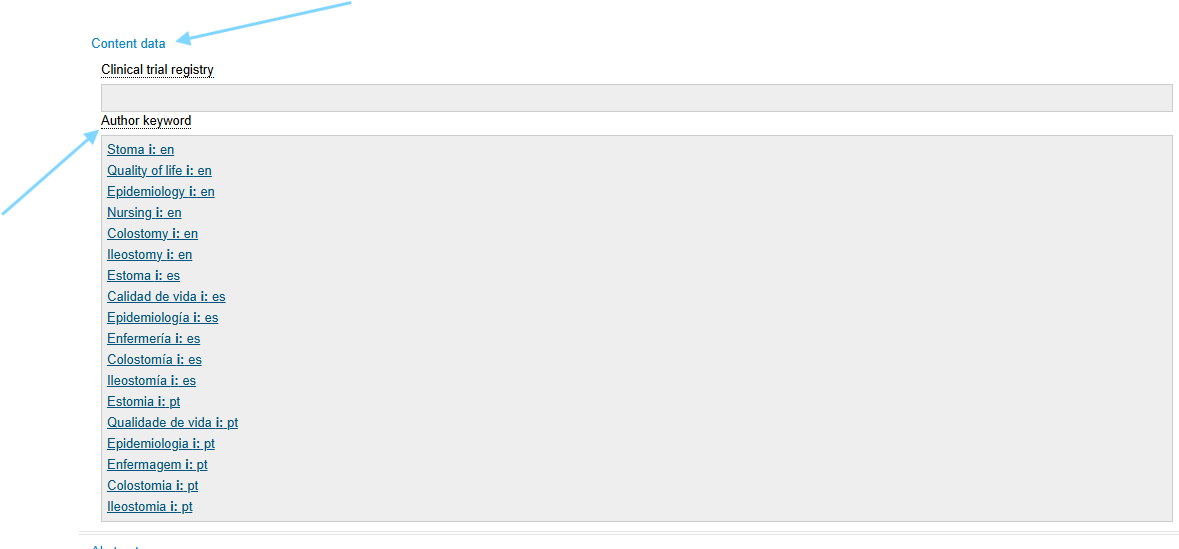
Clinical trial registration name
Every clinical trial must be registered in a specific database for this purpose. Include this information whenever it is available in the article.
-
Database: choose the option as indicated in the document
-
Registration number
-
URL: for the clinical trial registration database
Author keywords
Check whether all keywords have been included in all available languages separately. If any are missing or if the keywords appear grouped together, add new entries by clicking “Add Author keywords.”
Always define the language of each keyword.
-
Keyword
-
Qualifier
-
Language
Abstract
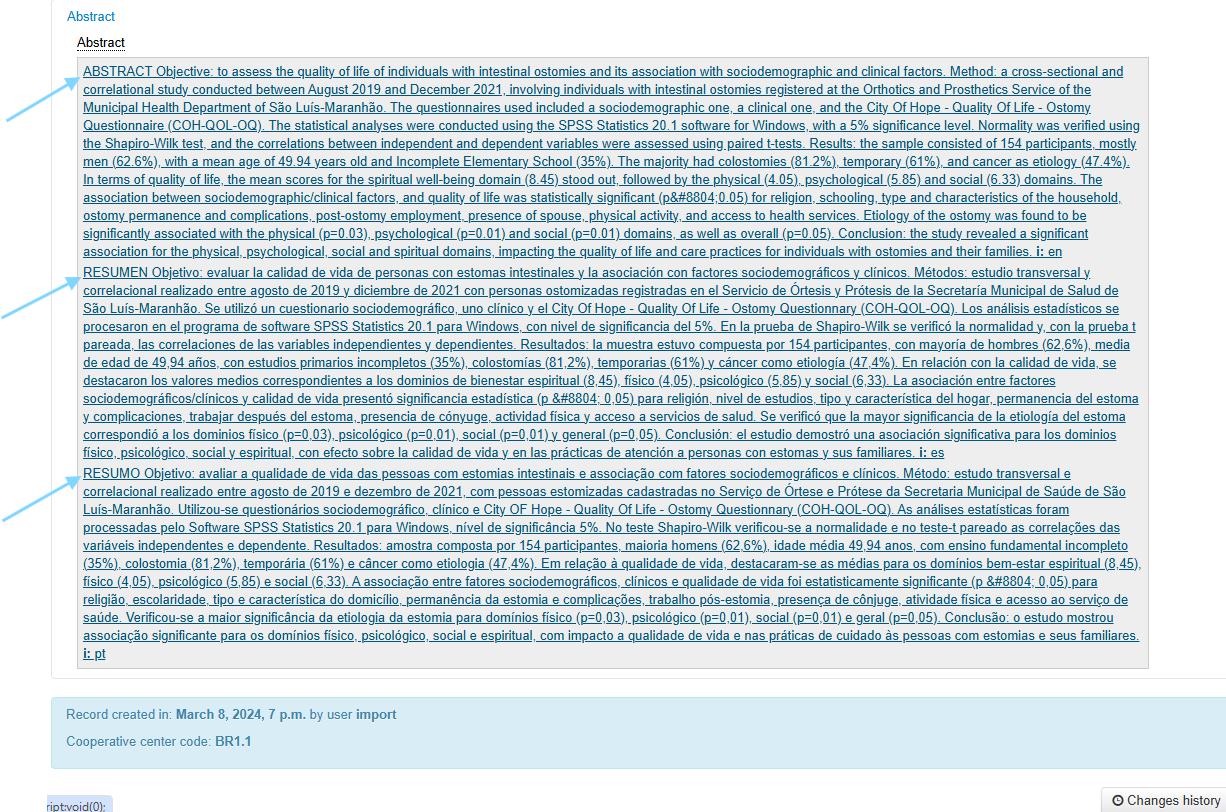
Check whether the full abstract has been included in all available languages, with the correct language identification.
Indexing
Primary and Secondary Descriptors
After completing the review of the bibliographic description, access the “Indexing” tab.
Click on the descriptors area in “Select by search” to open the search box and identify the descriptors and qualifiers to be used.
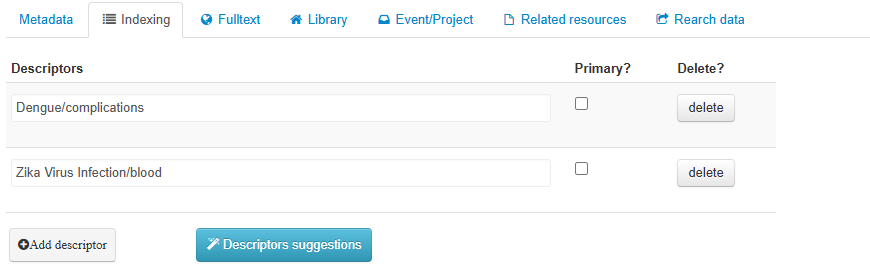
Define whether a descriptor will be primary by selecting the Primary? option.
It is recommended to use a maximum of 6 primary descriptors and 20 secondary descriptors. Add as many descriptors as needed to adequately describe the content of the document.
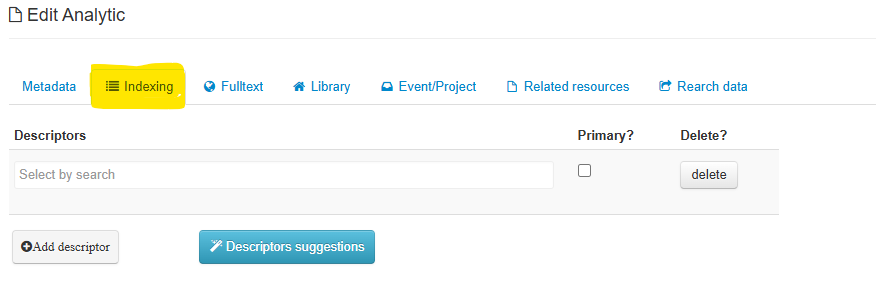
Search by subject. It is not necessary to type the entire descriptor, since as you begin typing, descriptors starting with the entered letters will be displayed.
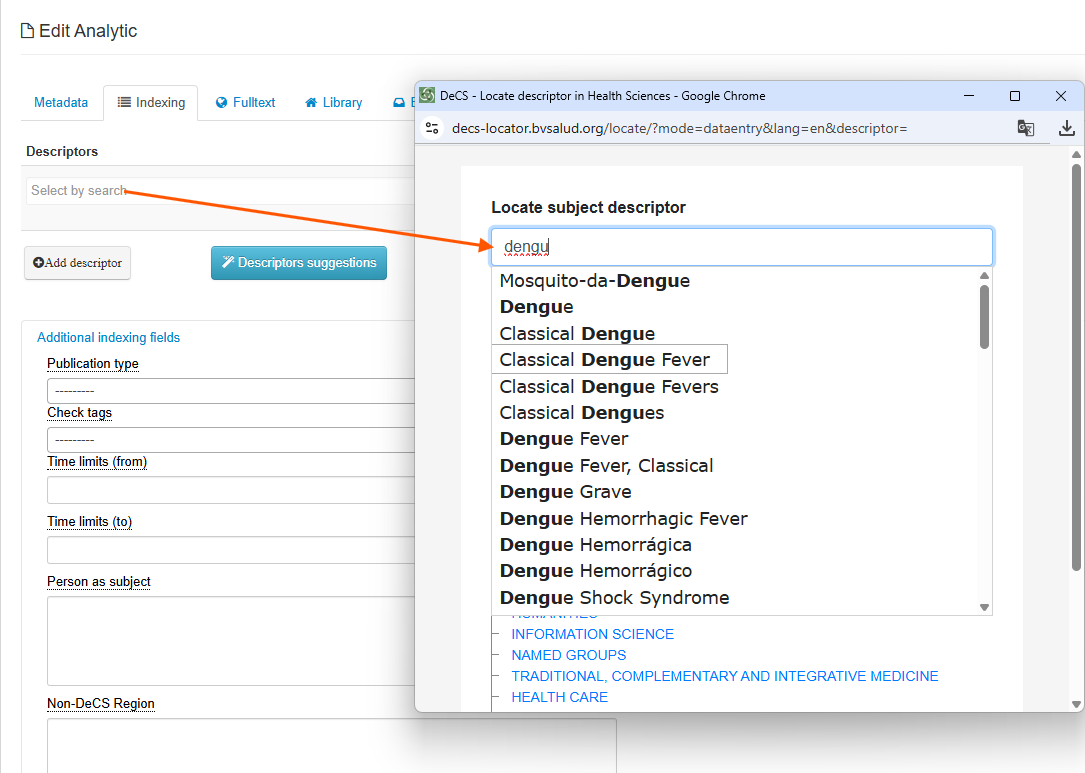
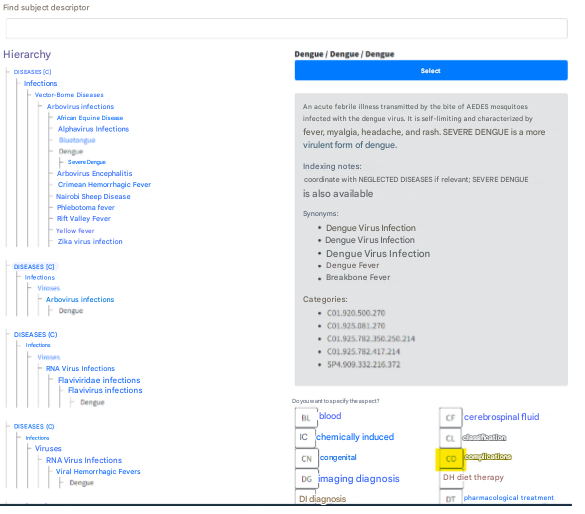
To use the descriptor in your indexing, click the “Select” button, to use the descriptor with a qualifier, click directly on the buttons with the qualifier abbreviations:
The result will look similar to the image below:
Additional indexing fields
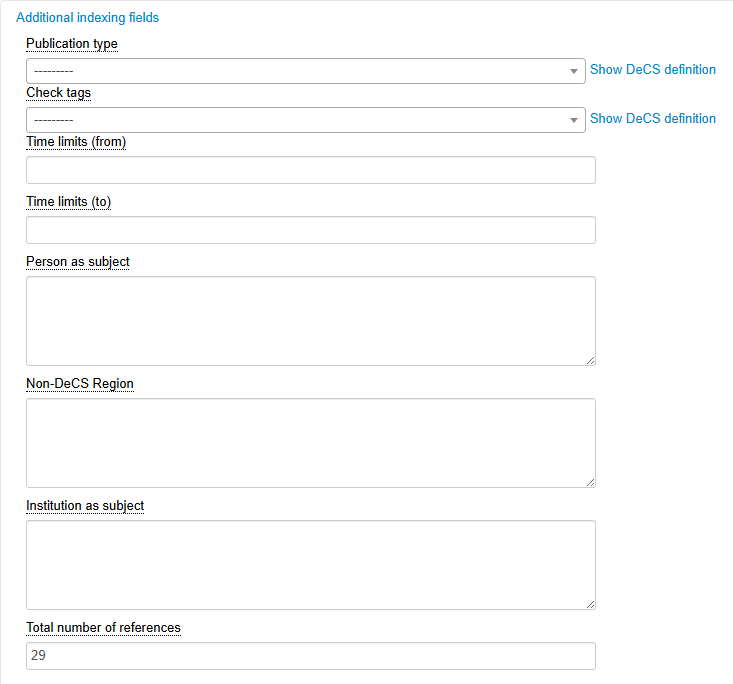
Publication type
Used to index the type of study conducted and the form of content presentation. Always search for publication types in DeCS to read their definition and indexing notes before using them.
Pre-coded descriptors
Used in almost all bibliographic records. Always search for pre-coded descriptors in DeCS to read their definition and indexing notes before using them.
Identifies:
-
Research subjects
-
Gender
-
Age
-
Human or animal
-
Historical periods
Time span (from)
Used in historical articles or articles that highlight the time boundaries of the study.
Time span (to)
Used in historical articles or articles that highlight the time boundaries of the study.
Individual as subject
Used in historical and biographical articles. Apply these publication types in the appropriate field.
Non-DeCS region
Used to indicate names of states, cities, regions, and localities. Always use when relevant.
Institution as subject
Used in historical articles with the publication type “Historical article.”
Full text
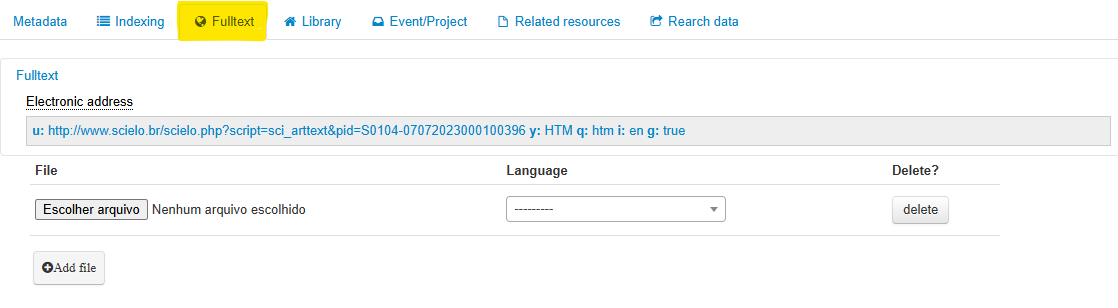
Always check whether the URL is working and corresponds to the bibliographic record.
If there are problems accessing the link and the journal does not have its own website, contact the journal editor and notify the LILACS Unit for possible support.
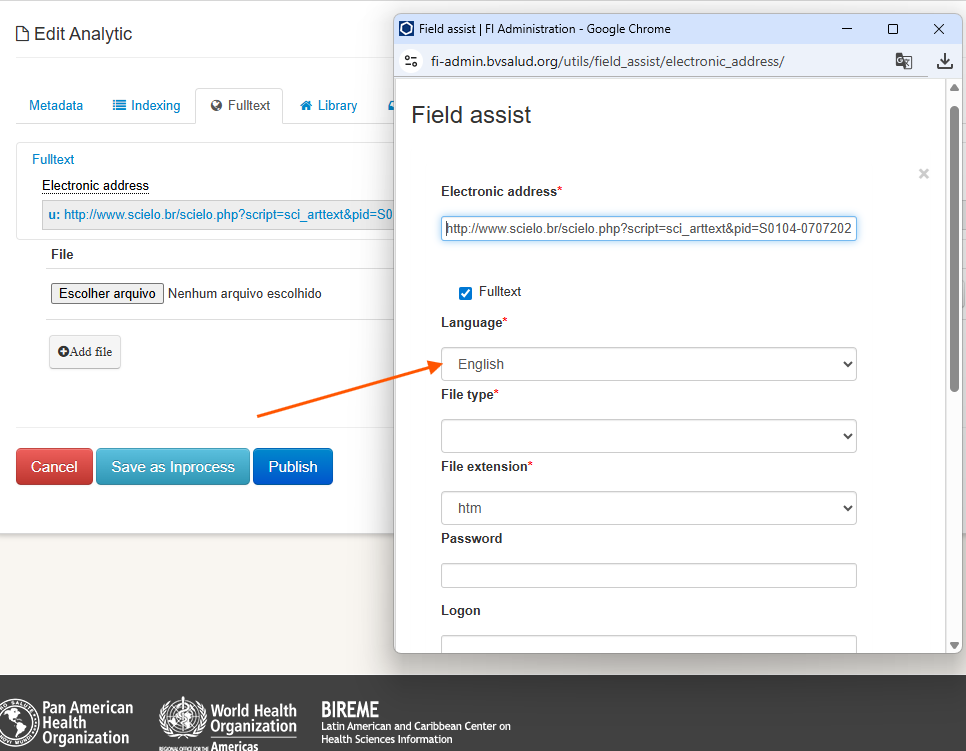
Check whether all attributes have been completed correctly, especially the document’s language.
Library
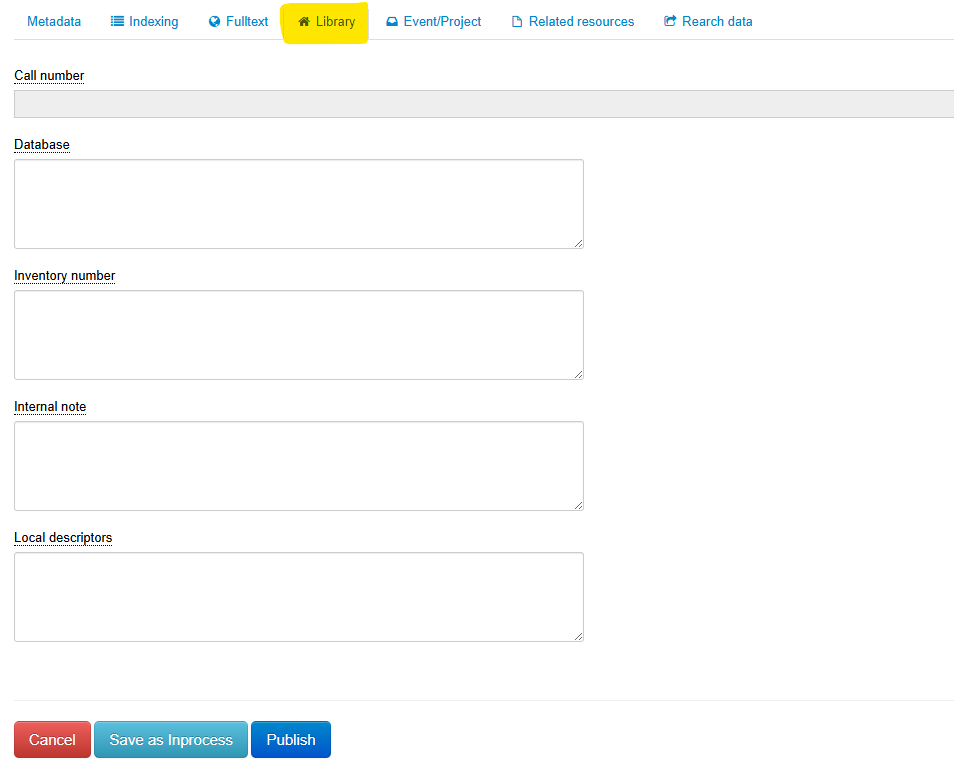
Document location
Include information on the document’s location in the physical collection of your library.
- Exception: No journal article should contain this information, as it is retrieved through SeCS – Serials in Health Sciences.
Database
When applicable, include local databases in which the record should be included.
Tombo
Internal note
Local descriptors
Include local descriptors if the network to which you contribute uses another glossary or controlled vocabulary in addition to DeCS.
Examples:
-
MS Thesaurus
-
SUS Taxonomy and others
-
Psychology Terminology
Event/Project
Review event and project data and fill them in if applicable to the described document.
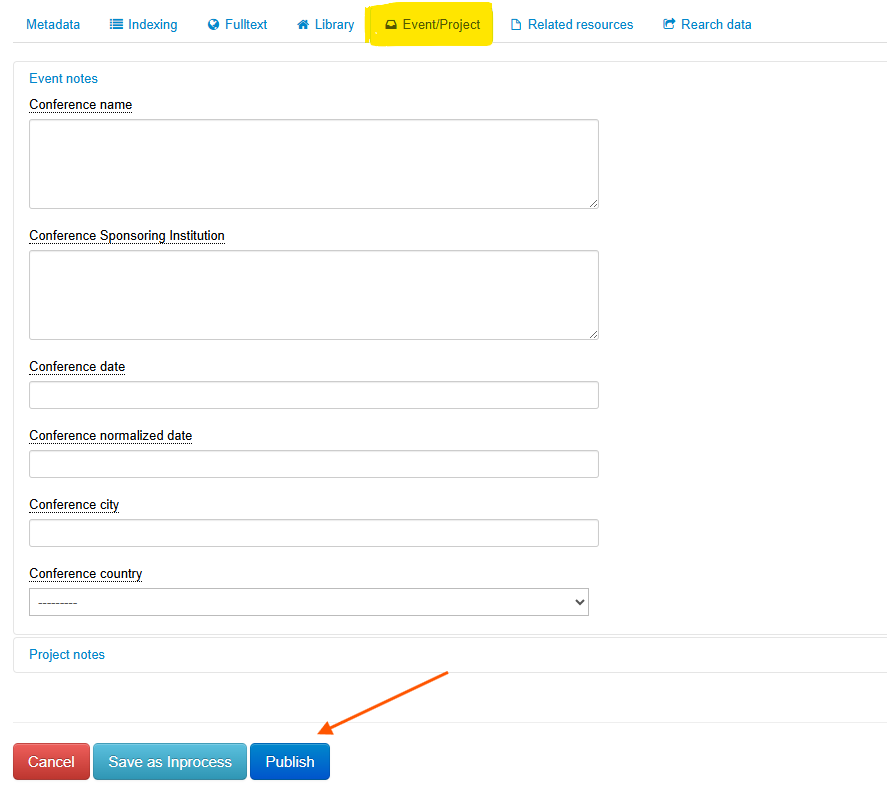
After completing the entire description review and performing the indexing, click the “Publish” button.
Publication
To finish, click “Publish.”
When articles are published in FI-Admin, they will be processed and made available for search in LILACS after processing.
-
Records “published” by Monday at 5:00 p.m. will be available for search on Thursday.
-
Records “published” by Friday at 5:00 p.m. will be available for search on Monday.
An article can only be published in LILACS if all required and essential fields are completed. If any field is missing, the system will indicate what needs to be filled in.
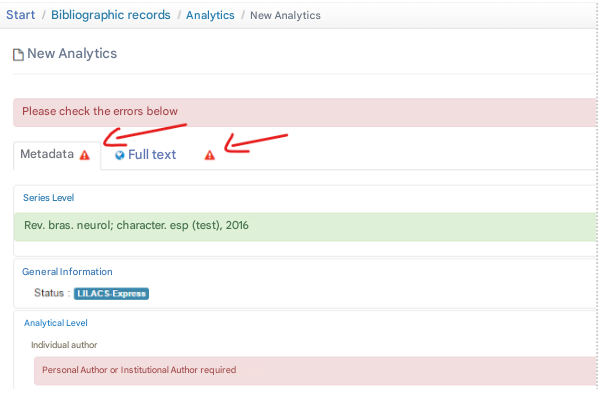
After reviewing the first analytic/article, begin reviewing the next articles in the issue.