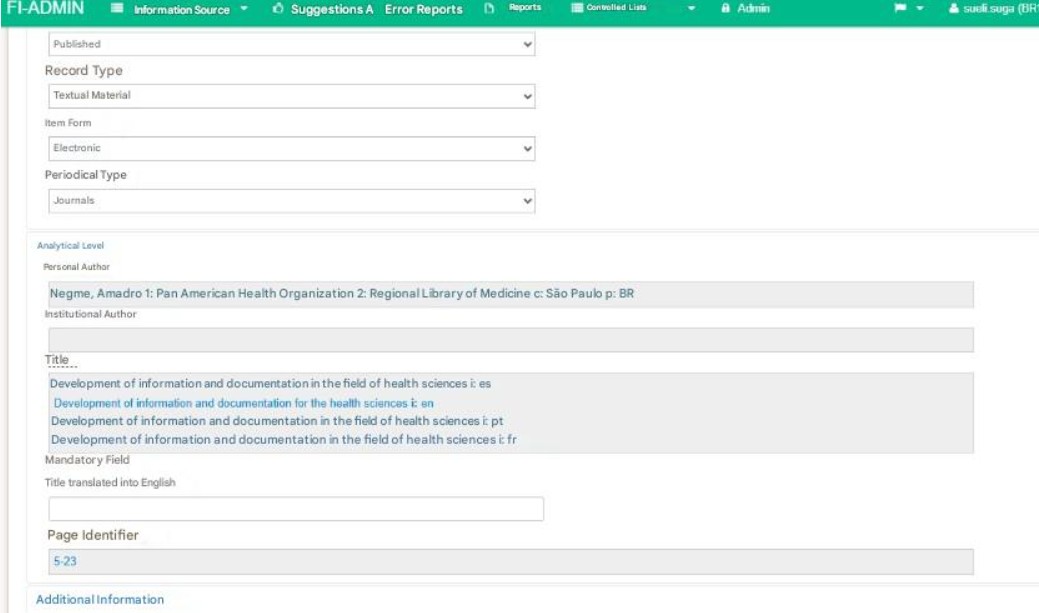
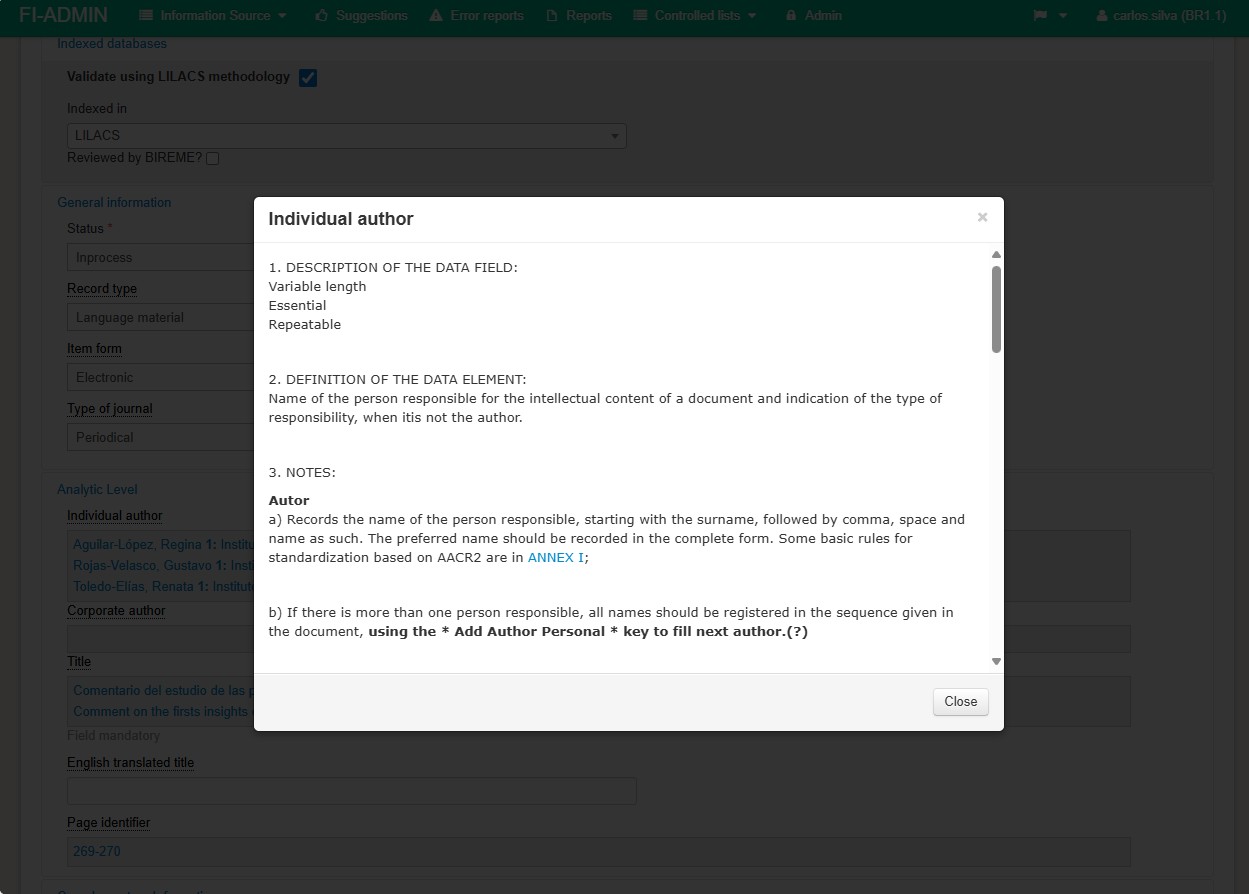
The system provides a help feature to facilitate the completion of fields. When a field name is underlined, it means that an explanation is available including: description, definition, notes, and examples.
To access this information, left-click on the field name.
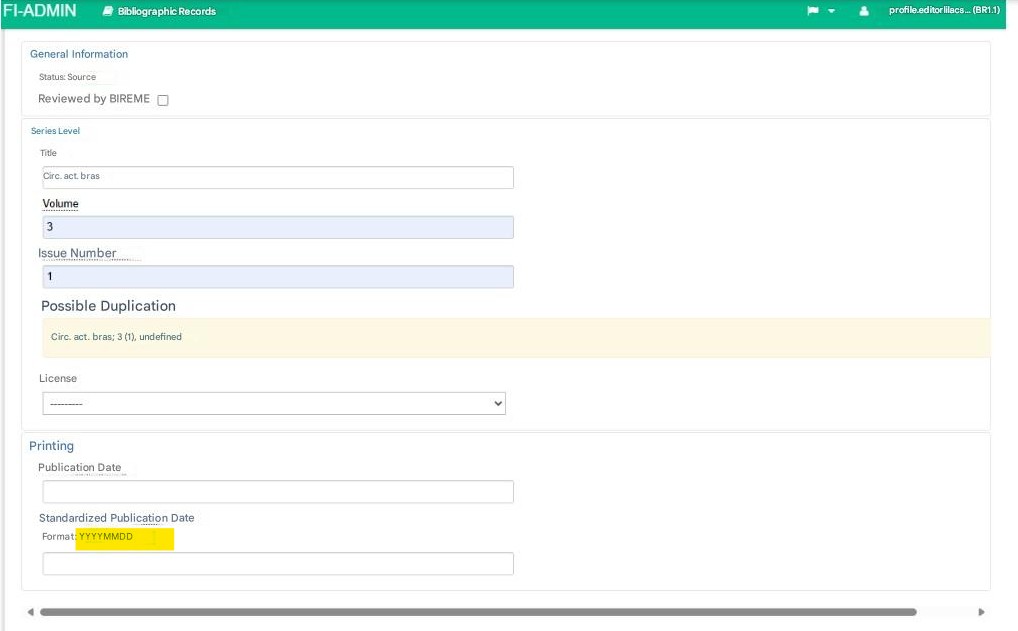
Simplified aids, such as the normalized date format, are also provided as a quick reference for the user.
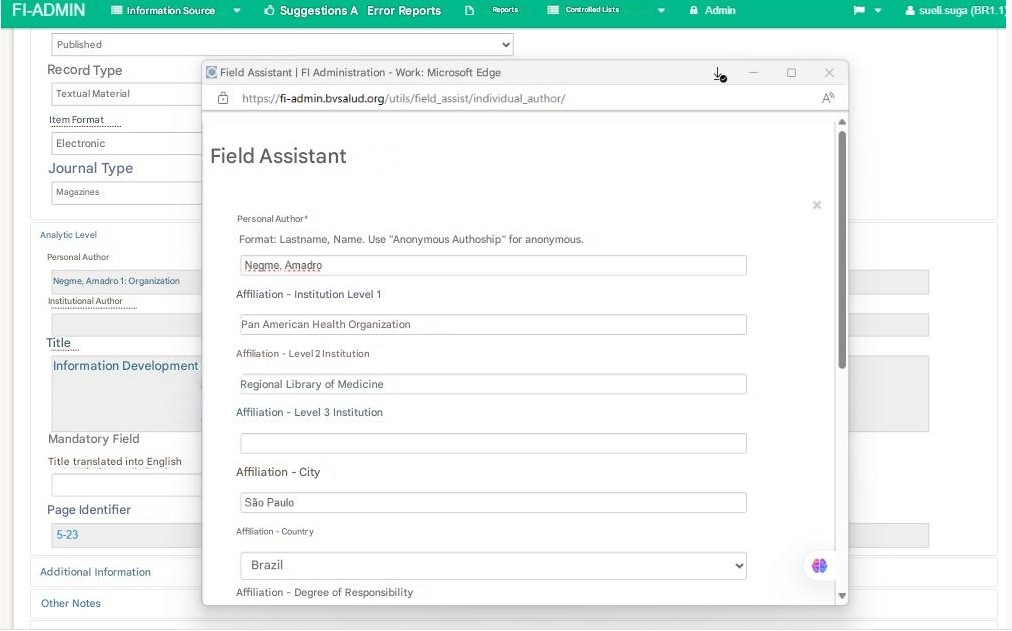
When multiple pieces of data need to be entered in a field, a filling assistant is displayed to help insert each piece of information correctly into the corresponding field or attribute.
For purposes of general understanding and simplification, field numbers and field attribute letters have been removed from the system labels; however, they remain visible after the data has been entered