
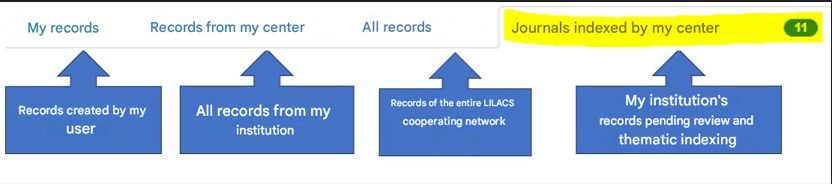
After selecting the “Bibliographic Records” option from the “Information Sources’” menu, the following tabs will be displayed:
>Click on, Journals Indexed by My Center
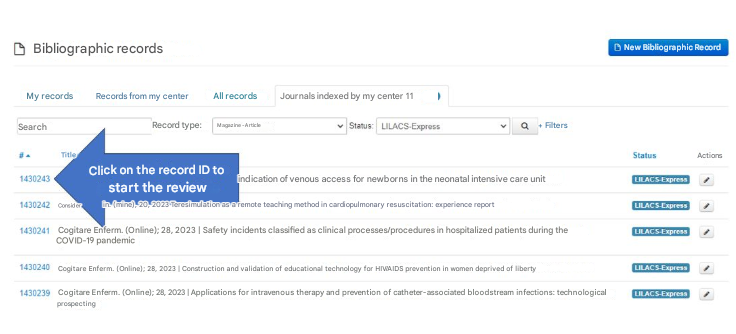
Select the record type Journal-Article and the status LILACS-Express, then click the magnifying glass icon:
Tips: We have several User Types, so be curious and click on the arrows to see the options.
Institutions with more than one journal title:
Select: All Records, type the journal title in the search box “Cogitare Enferm. (Online)“ using the abbreviated form, without spaces and without a period at the end.
Refine according to your needs:
- Record Type: All, Journal-Issue, or Journal-Article
- Status: All, LILACS-Express, Published, Rejected or Deleted
-
After selecting a filter, click on the magnifying glass.
Attention to journals that have changed titles or that started publishing an online version, since the abbreviated title may have changed. In these cases, pending review articles will not appear under the tab “Journals indexed by my center”.
Procedure to search the abbreviated title of journals that have changed:
Access the Portal of Scientific Journals in Health and search for the previous version of the journal’s title. Copy and paste the old abbreviated title into the FI-Admin search box under the “All records” tab, apply the status filter “LILACS-Express” and search.
This way, you will be able to access all records with the status “LILACS-Express”.